How it works
Pulses in. Reports out.
The GAiGE uses short, randomised micro-surveys delivered through a Chrome extension to capture real team feedback on AI tools. The reports write themselves. The whole setup takes 17 minutes.
Across browser apps, desktop tools, IDEs and workplace suites. Built by AiGILE.
The Pulse. Where the asking happens.
Email surveys get notoriously poor response rates. Annual reviews are too slow. The GAiGE uses short, randomised pulses delivered via a Chrome extension, designed to capture impact across the whole AI stack without creating admin work.
Balanced across your AI stack.
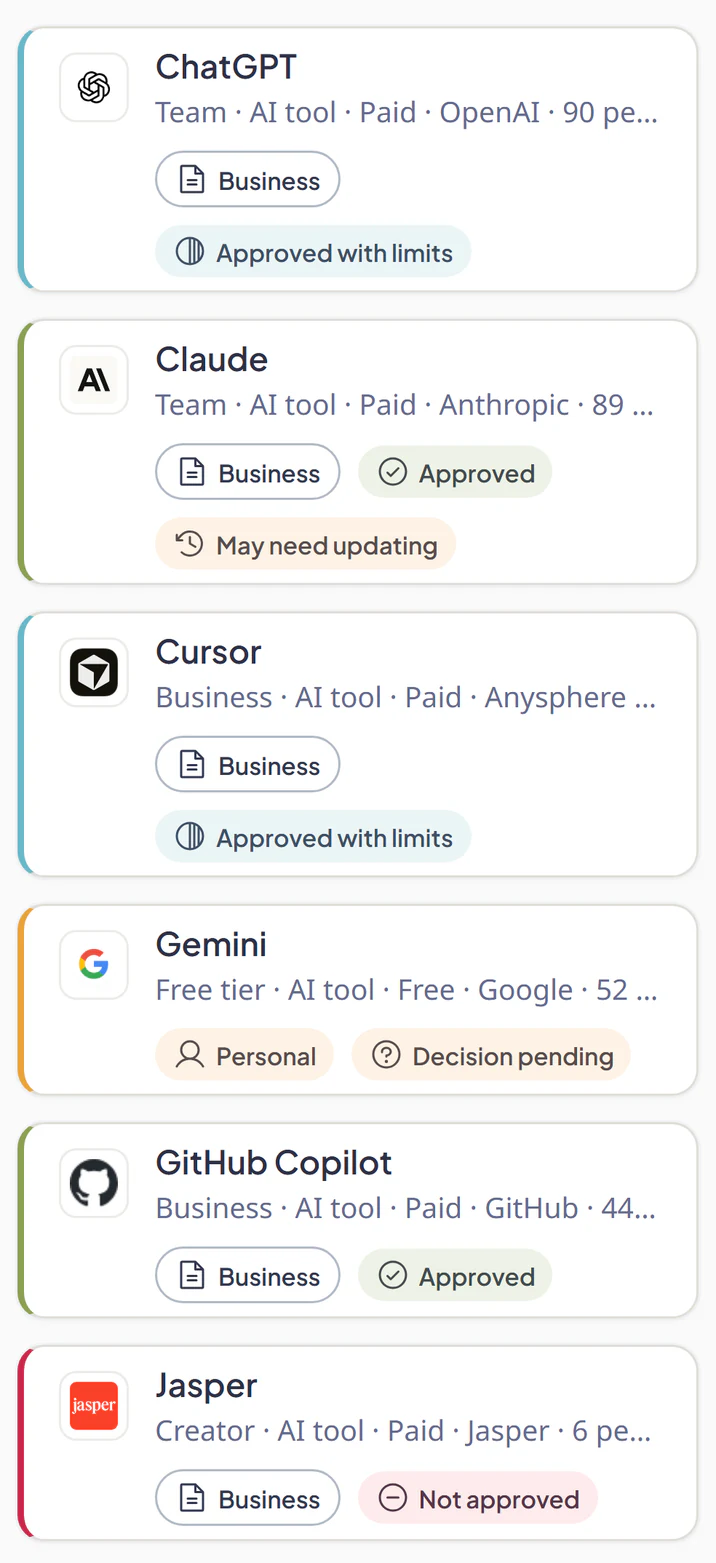
AI work happens in browser apps, desktop tools, IDEs and workplace suites. Randomised pulses capture a fair view across all of them, not just the easy-to-detect browser tools.
Seconds, not minutes.
Short, skippable prompts. Around 30 seconds to answer. Designed to capture useful signal without interrupting flow.
Engaging by design.
Every detail (timing, questions, feel) tuned to make answering easy and even a little fun.
Exceptionally high response rates.
Real signal from across your whole team, not just a handful of vocal champions.
Trusted from install.
The extension does only pulse delivery. No URLs, no page content, no cookies, no passwords. Your team can see for themselves.
Enterprise-ready deployment.
Centralised install and management supported via Chrome Enterprise force-install policies. Roll it out across the org without touching individual machines.
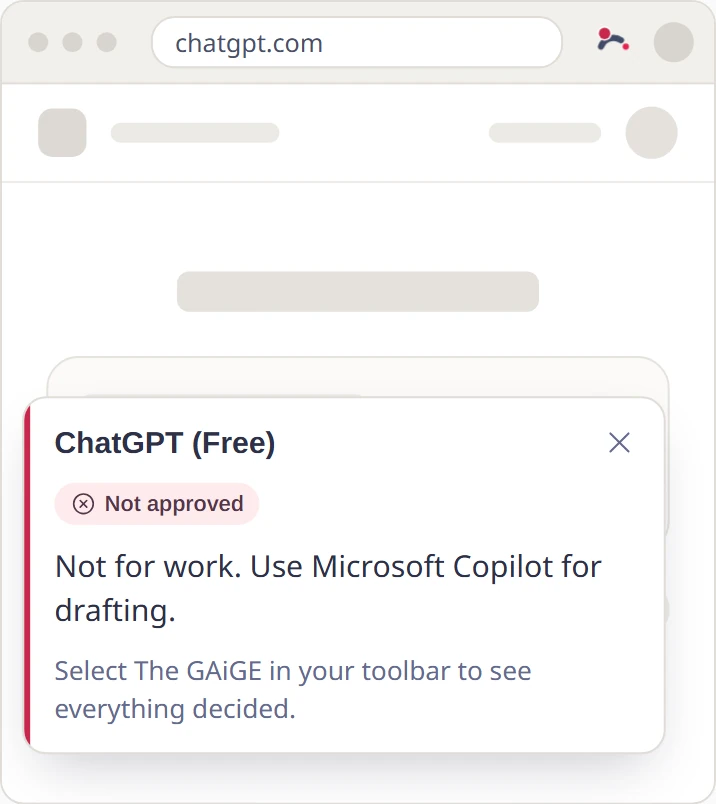
A team member completing a pulse. Seconds, no interruption.
The AI Impact Report. What comes out.
ROI, adoption, time saved, satisfaction, and wasted AI spend. Filterable by tool, team, and period.
Headline gauges.
ROI, hours saved, adoption and satisfaction at the top. Green, amber, red at a glance.
By tool.
Each AI tool's seats, active users, cost, hours saved and ROI multiple. Sortable, with deltas vs. last period.
By group.
Engineering vs. Sales vs. Marketing. See which teams are winning with which tools.
Insights and comments.
Plain-English observations from the data, plus user feedback at the bottom in their own words.
More than a dashboard
A defensible ROI number.
Hours saved x your hourly rate vs. tool spend, with a 2.5x extrapolation cap so the number survives boardroom scrutiny.
Wasted seats, flagged.
How many paid seats aren't being used, across every AI tool. Cancel at renewal with confidence.
Set up once, runs quietly.
Add your tools and team, then let randomised pulses and automated reports do the heavy lifting. No surveys to chase, no spreadsheets to maintain.
What your first two weeks look like.
Day 1
Setup. Team invites. Extension installed. First pulses fire.
Day 5
First response patterns emerge. Early signal visible.
Day 10
Enough data for trend views. Outliers start naming themselves.
Day 14
You walk into your next budget meeting with a defensible ROI number per tool.
If we don't get you there in 14 days, don't pay us.
All the features you need.
Everything an admin or senior leader looks for. Built in, not bolted on.
Quick and easy set-up
- Self-serve sign-up, no sales call required
- Add your team via email invite
- Guided onboarding checklist + Welcome Tour for every role
- Full onboarding guide in the help centre
- Up and running in minutes, not days
Safe to use
- Aggregate-only reporting. Admins see trends, never individual answers
- Australian Privacy Act + GDPR aligned
- Data stored in AWS Sydney
- Encryption at rest and in transit
- 2FA available for Owners and Admins
- Full audit log of admin actions, viewable by the Owner
Rich reports
- ROI per AI tool with a defensible methodology
- Filter by tool, team or group, and date range
- Period-over-period delta indicators on every metric
- By-tool, by-group and trend views in one place
- Plain-English insights, not just charts
- Member dashboard so each user sees their own contribution
Easy-to-deploy Chrome extension
- One-click install from the Chrome Web Store
- Optional host permissions, granted at runtime by the user
- Auto-updates via the Web Store. No IT intervention
- Compatible with Chrome Enterprise force-install policies
- Zero browsing data collected. Pulses only
Help and support
- In-app help widget for fast answers
- Knowledge base with onboarding and admin guides
- Email support with named team members
- Onboarding guidance through your first 14 days
- Public feature-request board. Your voice shapes the roadmap
On the roadmap
- Single Sign-On (SAML / OIDC)
- HR system integrations (BambooHR, Workday, Personio)
- Slack & Teams pulse delivery
- Custom domain & white-labelling
- Scheduled report emails
- Industry benchmarks. Anonymous cross-customer ROI
Privacy-first AI Impact Measurement.
Designed to measure organisational AI impact, not monitor individuals. Leaders see patterns; nobody sees personal responses.
Admins see trends, not names.
Every report is aggregated. No manager sees 'Sarah rated Copilot 2/5 on Tuesday.' That's how people answer freely.
Zero browsing data collected.
The Chrome extension never reads URLs, page content, passwords, or cookies. It delivers pulses. That's it.
Data stays in Australia.
All primary data stored in AWS Sydney. Sub-processors in EU and US covered by standard contractual clauses.
APA + GDPR aligned.
Built by an Australian company. Privacy Act and GDPR compliance designed in, not bolted on.
What people ask before signing up.
How is this different from our usual engagement survey?
Engagement surveys ask once a quarter about everything. The GAiGE asks short, randomised questions about specific AI tools, so you get signal about whether Copilot is actually delivering value, not vague satisfaction scores three months later. Pulses are delivered via the Chrome extension and take around 30 seconds to answer.
Do you need access to our AI tool admin dashboards?
No. The GAiGE works purely from end-user feedback via the Chrome extension, so you don't need enterprise licences or IT sign-off to grant API access. This is why we work for mid-sized businesses who don't have admin visibility into every tool.
Won't people just say 'it's great' to avoid awkwardness?
Responses are aggregated and anonymous. Admins never see individual answers. We've kept the privacy posture strict on purpose, so people feel safe sharing what they actually think rather than the answer they think is expected. (More on this in our methodology article.)
How long until I see meaningful data?
Response patterns emerge within days, not weeks. Credible period-over-period comparisons land within your first two weeks. If you're already paying for AI tools now, that's fast enough to affect your next renewal decision.
What if we add new AI tools later?
Add them any time. The extension picks up new tools on the next sync, usually within 15 minutes.
Who's this built for?
Mid-sized businesses (roughly 50 to 500 people) where AI tools are past the experimental stage and into real rollout. If you have fewer than around 30 people actually using AI tools, there's not enough signal yet. Come back when you do.
Ready when you are.
17 minutes to set up. 14 days free. No card. The reports write themselves.